

Get started in five steps
Connect your cloud accounts and start receiving cost-saving insights right away.1
Create your account
Sign up for Yasu at app.yasu.cloud/auth/sign-up.You can sign up with your email or use Google/GitHub SSO for faster onboarding.After signing up, you’ll be prompted to create your first workspace. A workspace is where your team collaborates on cloud cost optimization.
2
Connect your cloud account
Select your cloud provider to start analyzing your costs.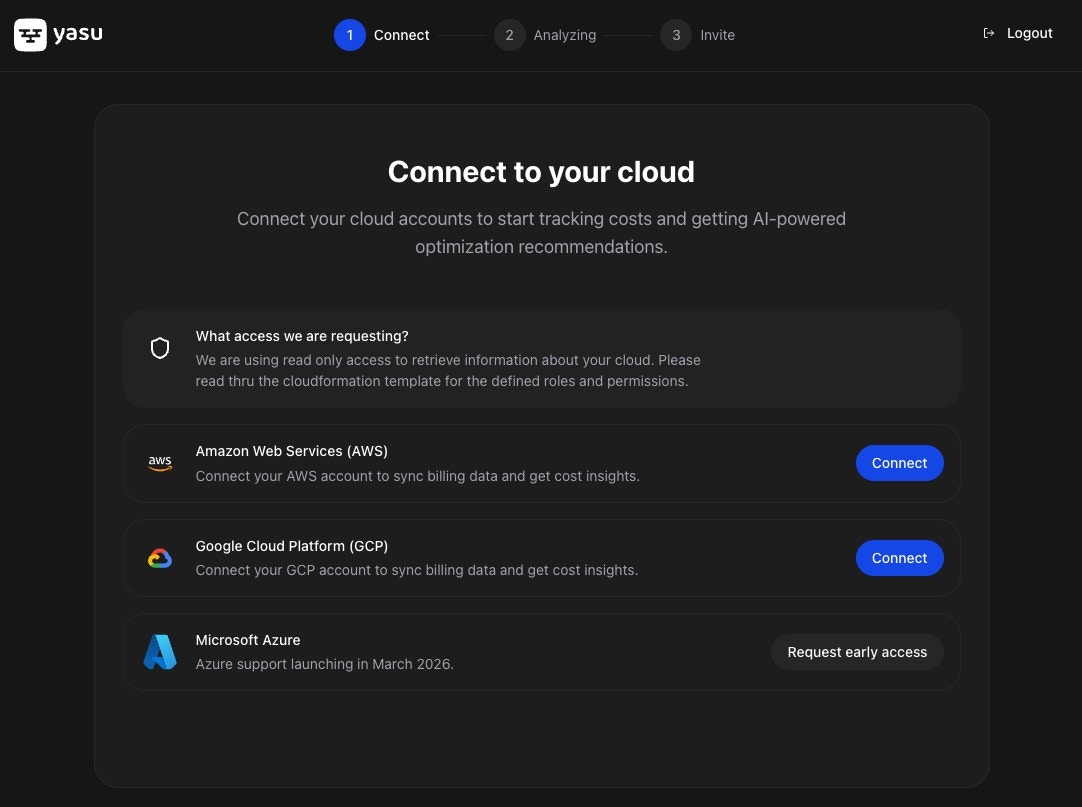
- AWS
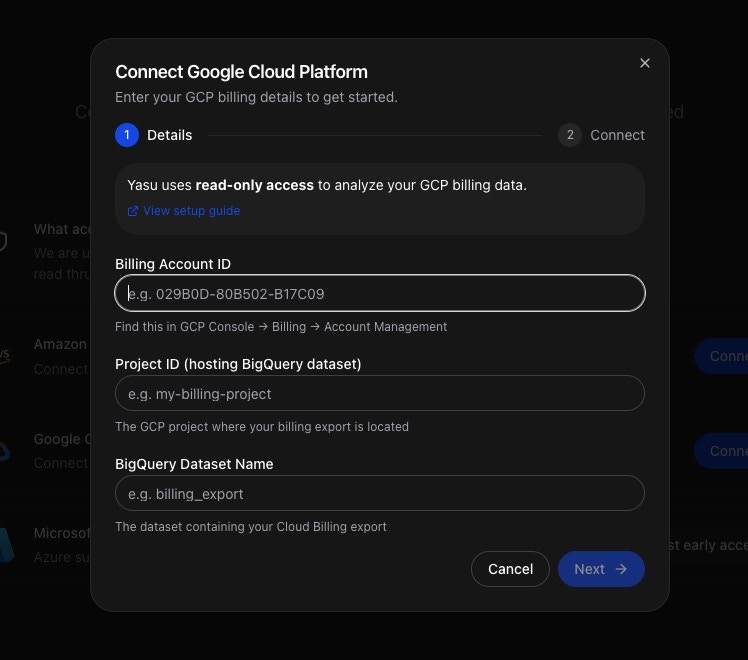
- GCP
- Azure
Connect AWS via CloudFormationClick Connect AWS and you’ll be redirected to AWS CloudFormation with our template pre-loaded.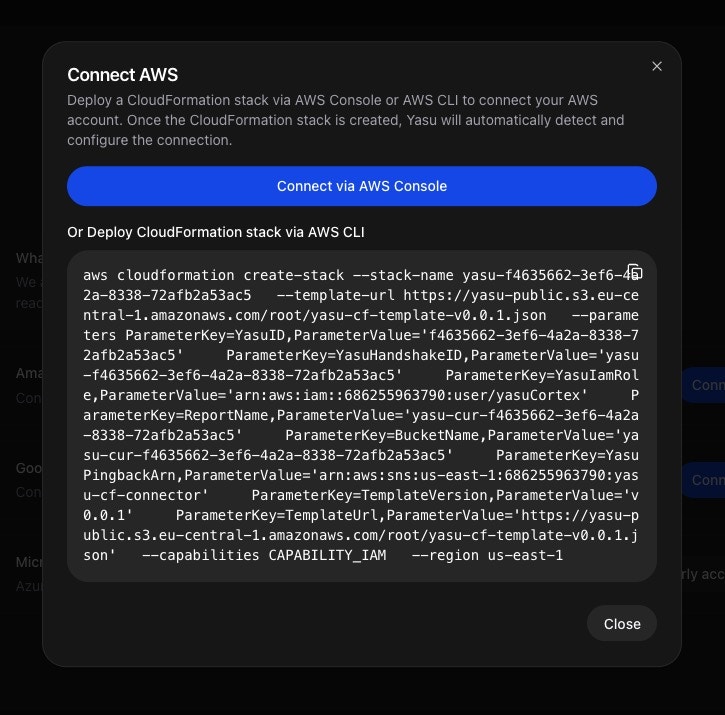
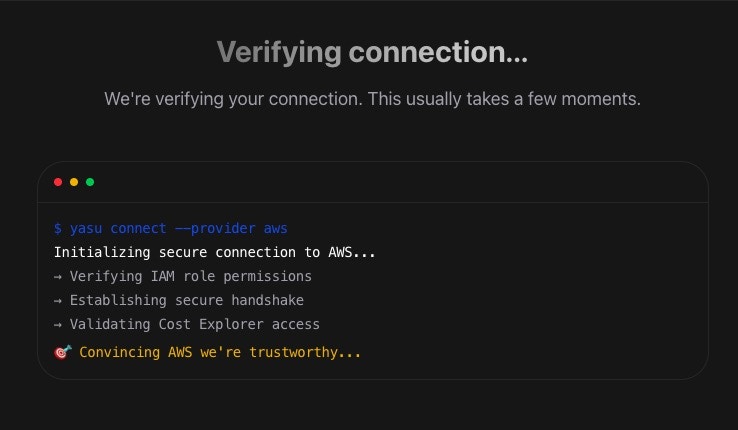
- Review the stack name and parameters (pre-filled for you)
- Scroll to the bottom and check the acknowledgment box
- Click Create Stack
Yasu uses read-only access to analyze your AWS costs and resources. We never make changes to your infrastructure.
- Read Cost Explorer data
- List resources across services
- Access CloudWatch metrics
3
Start your AI agents
After connecting your cloud account, configure which AI agents you want to activate. These agents continuously analyze your infrastructure for cost-saving opportunities.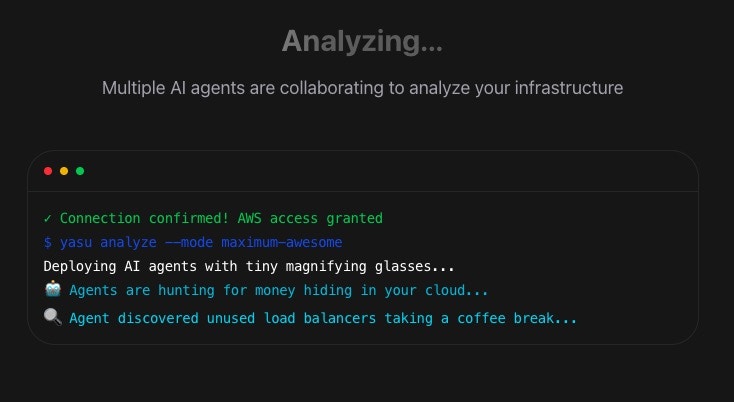
- Cost Analyzer — Identifies idle and underutilized resources
- Right-Sizing Agent — Recommends optimal instance sizes
- Reserved Instance Advisor — Finds RI and Savings Plan opportunities
4
Invite your team
Collaborate with your team by inviting members to your workspace.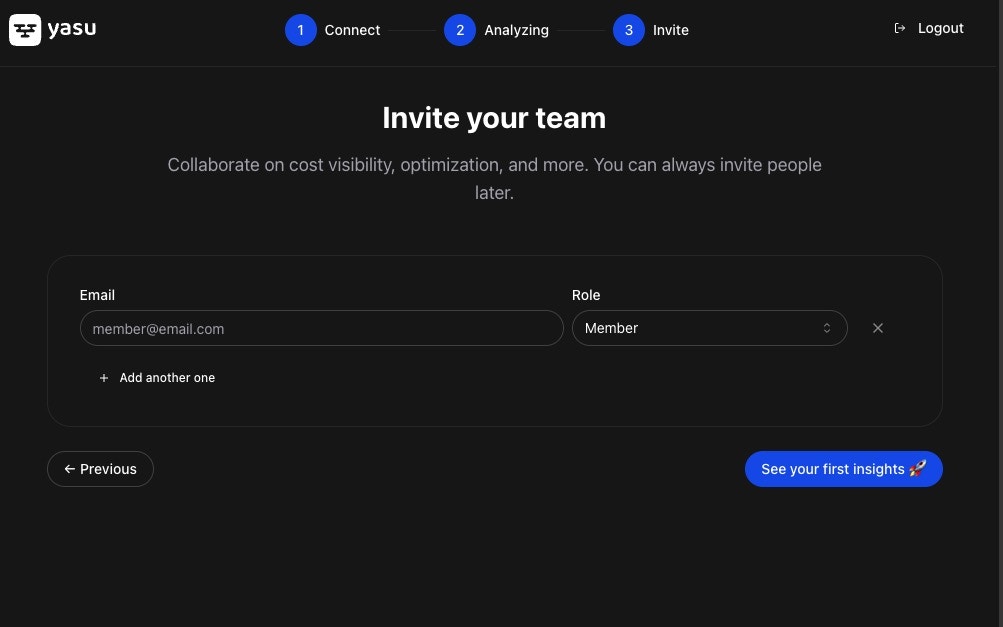
You can manage team members and permissions later from Settings → Members.
5
See your insights
Once setup is complete, you’ll land on your dashboard where cost-saving insights start appearing.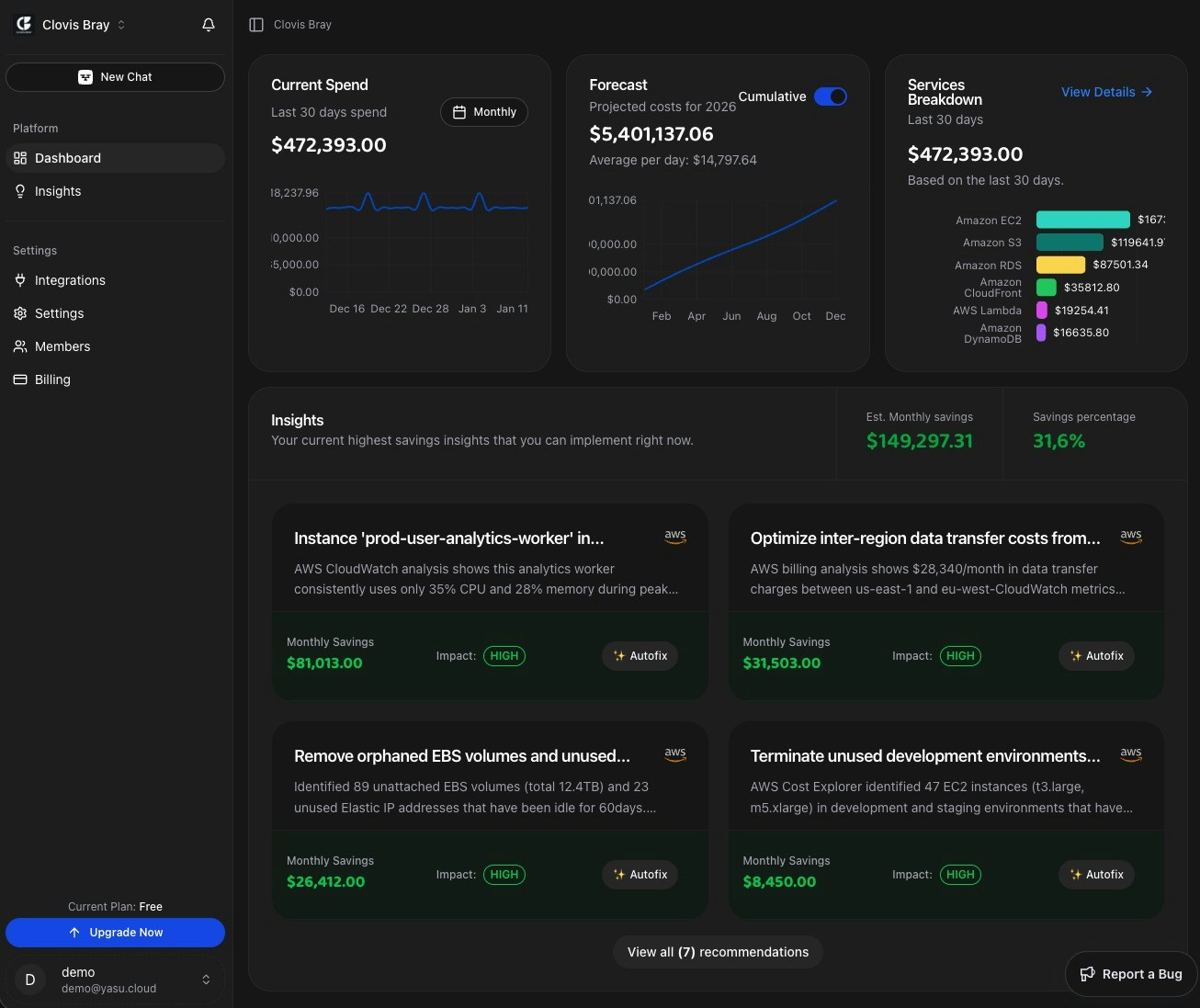
- Current spend — Real-time cloud cost tracking
- Quick Wins — AI-powered savings recommendations
- Forecast — Predicted costs for the coming month
- Services breakdown — Costs by cloud service
Most users see their first cost-saving recommendations within 5 minutes of connecting.
Next steps
Explore the Dashboard
Understand your cost breakdown and spending trends.
Review Quick Wins
See AI-powered recommendations and implement savings.
Set up Shift-Left
Catch costly mistakes before they reach production.
Connect Slack
Get notifications about savings opportunities in Slack.
Need help? Contact us at support@yasu.cloud or use the chat widget in the app.